You can access your Email account directly from Webmail.
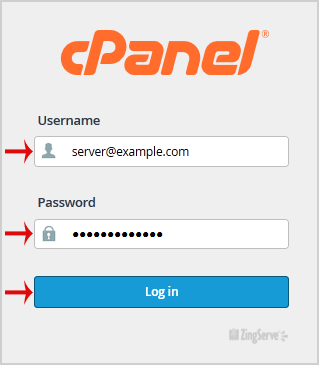
1. Open http://example.com/webmail, replace "example.com" with your domain name and enter your full email address and password in user login details and then press the "Login" Button.
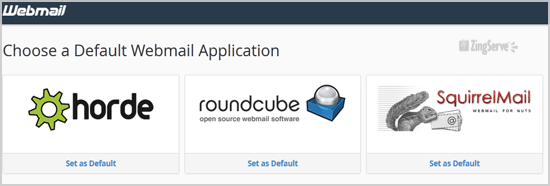
2. You will be redirected to a cPanel Webmail Page. Click on any Webmail Email Reader like "Horde", "Roundcube" or "SquirrelMail".
Once your Webmail Email Reader opens, you will be able to read your email and check your email inbox and junk email.

Categories
Backup/Restore
4
Billing & Accounts
7
cPanel - Control Panel
77
Databases
22
DNS - Nameserver
6
Domain Management
14
Email
100
FTP Questions
42
Installing a Control Panel
6
Others
3
Pre-sales Questions
9
Scripts & Applications
106
Security
18
SiteWorx (Control Panel)
60
SolusVM
19
SSL
5
Troubleshooting
4
Categories
Tag Cloud
How to Access your Email Account from cPanel Webmail? Print
- 0
Was this answer helpful?
Related Articles
How to use the password generator when creating an email account in cPanel
How to use the password generator when creating an email account in cPanelThis demo assumes...
How to change an email accounts quota in cPanel
How to change an email accounts quota in cPanelThis demo assumes you've already logged in to...
How to set a default email address for unrouted emails in cPanel
How to set a default email address for unrouted emails in cPanelThis demo assumes you've already...
How to pipe unrouted emails to a specific script in cPanel
How to pipe unrouted emails to a specific script in cPanelThis demo assumes you've already logged...
How to set a return to sender failure message for unrouted emails in cPanel
How to set a return to sender failure message for unrouted emails in cPanelThis demo assumes...